

EX-ZR50
Self-portrait Function
Have even more fun taking even more beautiful self-portraits
Enhance the beauty of your self-portraits. Enjoy your group shots. The ZR50 gives you enough options to capture the image you desire. What’s more, there are plenty of fun functions for enjoying your captured results.
Self-portraits and group shots have never been easier or more fun!
NEW [ Tilt-type LCD ] leaves no room for error in taking self-portraits
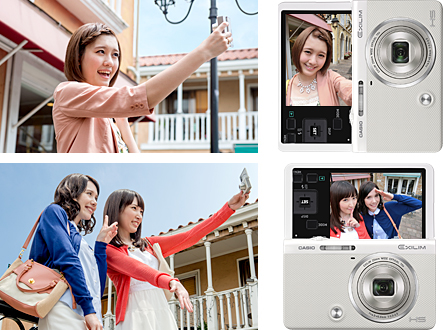
The ZR50 features a Tilt-type LCD that opens up to 180 degrees. This allows you to check yourself in the LCD to make sure you’re always in frame when you take your shot. It also means you can capture images at low angles for child’s or pet’s eye view shots or high angles for “in-the-crowd” self-portraits * . Putting it simply, you’ll have even more freedom and flexibility to capture the scenes you desire.
* If the camera is held upside down, the displayed information and image you are taking will be automatically rotated 180 degrees.
NEW [ Front Shutter ] An effective feature for taking lengthwise self-portraits while holding the camera away from yourself
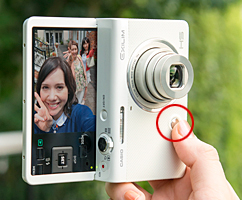
Taking lengthwise self-portraits is
smooth and easy
The ZR50 is equipped with a Front Shutter for taking self-portraits which are preferably captured lengthwise. This feature allows you to smoothly and effectively capture stable images when you press the shutter with your thumb as you hold the camera lengthwise. Front Shutter makes taking self-portraits with one hand even more easy and efficient.
NEW [ Motion Shutter ] Ideal for hands-free self-portraits and group shots
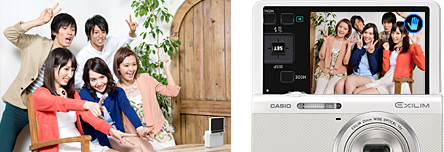
Motion Shutter shooting modes:
Program AUTO, Premium Auto Pro, BS Make-up, High-speed Best Selection
* Selectable countdown settings: 0.5, 1, 2 or 10 seconds
Motion Shutter allows hands-free operation of the camera’s shutter release timer. This means when you wave your hand from a distance, the camera will sense the movement and activate the timer. What’s more, this feature not only allows you to take pictures, but also to playback images without touching the camera. This is a feature that lets you be more expressive by allowing you several options such as posing the way you like for self-portraits and group shots, and framing your shots to better capture the background scenery.
Capture beauty the way you desire
NEW [ Make-up Mode ] A great way to express your beauty your way
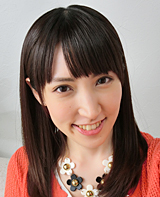
ON
Skin Tone: Light +4
Smooth Skin: +8

OFF
Skin Tone: 0
Smooth Skin: 0
Skin Tone
Allows you to adjust skin tone for beauty ranging from prominent whitening (light) to a healthy brown (tan).
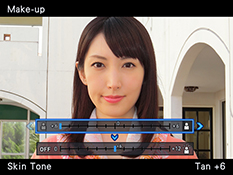
Tan +6
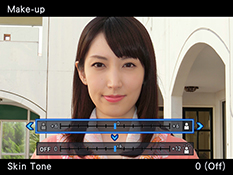
0 ( Off )
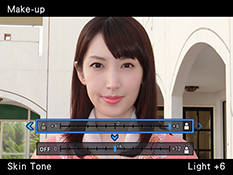
Light +6
Smooth Skin
Avoids unnatural shine and finishes with bright, smooth skin.
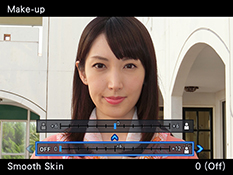
0 ( Off )
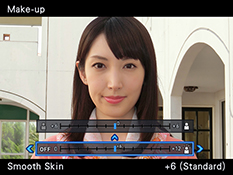
+6 ( Standard )
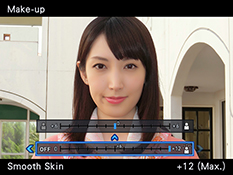
+12 ( Max. )
NEW [ Make-up BKT (Bracketing) ] A convenient mode for trying out varying effects at once
One press of the shutter button rapidly takes three shots of varying make-up effects. One image is based on your Make-up Mode “Skin Tone” setting, while the other two images are stored at levels above and below the setting. Instead of adjusting the settings for each shot, you can capture three distinct images that are adjusted according to your preference with a single shutter release.
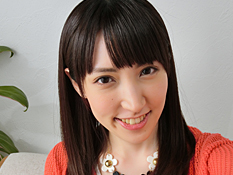
Setting: -2 (Tan +2)
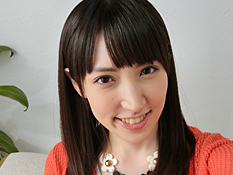
User Setting (0)
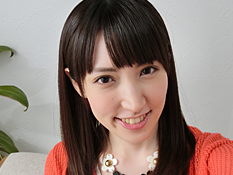
Setting: +2 (Light +2)
Have fun combining and enjoy sharing
NEW [ Quick Collage ] Express yourself by creating your own unique collage of images
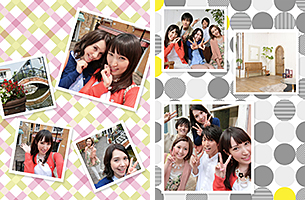
With this feature, you can combine the images that you’ve taken into a single collage. Create imaginative compositions such as a collection of your changing hair and fashion styles or even your various facial expressions. What’s more, the collage you create can be easily uploaded and shared on SNS sites via smartphone.
NEW [ Wi-Fi Function ] Links ZR50 with your smartphone for even more self-portrait fun
* Installation of dedicated “EXILIM Remote” app on smartphone required.
[ Remote Capture from Your Smartphone ]
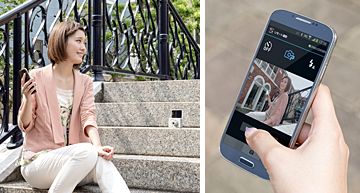
By linking your smartphone for remote control, you can view your subjects on the phone’s display and activate the ZR50’s shutter release from a distance. Create your own unique self-portraits by framing your compositions any way you want from any angle while striking your favorite poses.
[ Sending Images to a Smartphone ]
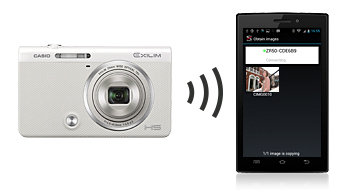
You can easily send a captured image to your smartphone as well as batch send images which you took in the course of a day. You can have even more fun with your smartphone by uploading and sharing the images you took with your ZR50 on SNS sites.
All images shown here are simulations for explanatory purposes only.
Actual images may appear different from those shown here. Designs and specifications are subject to change without notice.